Grandpad Review 2026: the Best Tablet for Seniors With Dementia, or Too Expensive?
Our Verdict
GrandPad is one of the most thoughtfully designed tablets we’ve come across for seniors living with dementia or significant cognitive decline. It strips away almost every source of confusion, locks down the interface so your parent can’t accidentally end up somewhere strange, and gives family members genuine oversight through a companion app. That said, the monthly subscription cost is real, and families with a tighter budget or a parent who still has reasonable tech confidence may find it hard to justify.
Best for: Seniors with moderate to advanced dementia, or any elderly parent who feels overwhelmed or frightened by standard tablets. Also excellent for families who live far away and want a managed, worry-free connection point.
Not ideal for: Tech-savvy seniors who’d feel patronised by the locked interface, or families who only need occasional video calling and don’t want an ongoing subscription.
What Is GrandPad?
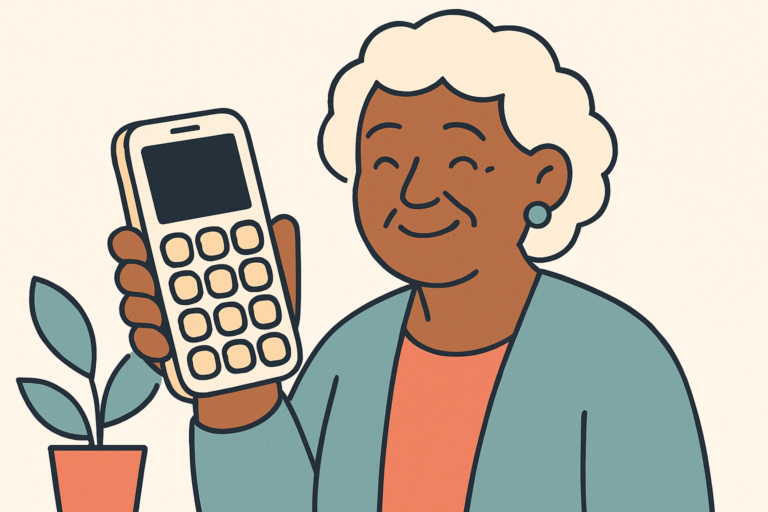
GrandPad is a purpose-built tablet designed from the ground up for elderly users, particularly those with memory loss or cognitive impairment. Unlike an iPad or Amazon Fire tablet that’s been simplified with a launcher app, GrandPad replaces the entire experience. What your parent sees is a clean, large-button interface with only the features you choose to activate: video calls, photos, music, games, and email. There’s no app store to wander into, no pop-up notifications, no confusing settings menu. That’s the whole point.
The device is made by GrandPad, a US-based company that has focused exclusively on senior technology for over a decade. It runs on its own built-in 4G LTE connection, which means there’s no Wi-Fi password to enter, no router to troubleshoot, and no dropped connection because your parent accidentally turned off the wireless. The tablet and cellular plan come bundled together in the subscription, so setup is genuinely minimal on the hardware side.
The companion app for family members is where a lot of the real value sits. You control who can contact your parent, upload photos that appear directly on the device, and monitor usage. For families trying to keep a parent with dementia connected without creating a new source of stress or confusion, that level of control matters enormously.
Key Features
- Locked, Distraction-Free Interface: The home screen shows only large, clearly labelled buttons for approved functions. Your parent can’t accidentally download anything, visit a website, or get tricked by a scam pop-up. For someone with dementia, removing those decision points reduces anxiety significantly.
- Built-In 4G LTE: GrandPad includes cellular connectivity in the subscription price. No Wi-Fi setup, no network passwords, no calling you because the internet stopped working. The tablet just connects.
- Large Touchscreen With Simple Controls: The screen is 8 inches, with oversized buttons and high-contrast text. For parents with arthritis or reduced fine motor control, the large tap targets make a real difference compared to a standard tablet keyboard or small icons.
- Family Companion App: Relatives download the GrandPad app on their own phones or tablets and join as approved contacts. You can push photos directly to the device, initiate video calls, and see when the tablet was last used. That last point gives families a quiet, non-intrusive way to check in.
- Approved Contact List Only: Your parent can only receive calls or messages from people you’ve added. Telemarketers, scammers, and unknown numbers simply can’t get through. This alone is worth a lot if your parent has been targeted by phone fraud.
- One-Touch Video Calling: Calling a family member is a single large button tap, with no dial tones, no account logins, and no confusion about which app to use. The call connects automatically on the other end if the recipient has the companion app open.
- Music and Photos Built In: The device includes curated music streaming and a family photo feed. These are genuinely calming features for someone with dementia who may not initiate complex activities but responds well to familiar music or seeing pictures of grandchildren.
- Caregiver Alerts: Family administrators can receive notifications if usage patterns change, which can serve as an early, informal signal that something may be off with your parent’s routine.
Pros and Cons
| Pros | Cons |
|---|---|
| Genuinely dementia-friendly interface with no way to get lost or confused | Monthly subscription cost is high compared to a one-time tablet purchase |
| Built-in 4G LTE means zero Wi-Fi dependency or networking headaches | Very limited functionality — seniors who want a real browser or apps will feel restricted |
| Approved-contact-only system blocks scammers and unwanted calls completely | Camera and video quality are functional but not impressive compared to an iPad |
| Family companion app gives real oversight without being invasive | Cancelling the subscription means the device stops working, so you don’t own a usable tablet outright |
Pricing and Plans
GrandPad operates on a monthly subscription model rather than a one-time purchase. As of 2026, plans run approximately $67 per month, which includes the tablet hardware, the 4G cellular connection, ongoing customer support, and access to the family companion app. There is no annual prepay option that significantly discounts the price. Over a full year, that works out to around $800, which is meaningfully more expensive than buying an Amazon Fire HD 10 (roughly $150) or even an entry-level iPad (around $329) outright.
The pricing is easier to justify when you factor in what’s bundled. You’re not paying separately for a cellular plan, a device, or tech support calls. GrandPad’s US-based support team is available 24/7 and trained to speak directly with seniors, not just with family administrators. If your parent calls in confused or distressed, the support staff are experienced in handling that patiently. That’s a real, tangible service rather than just a marketing line.
Still, we’d be doing you a disservice if we didn’t flag that $67 a month is a significant recurring expense. If budget is a serious constraint, or if your parent’s needs are modest, it’s worth looking at alternatives before committing. That said, if GrandPad genuinely keeps your parent calmer and more connected, and saves you hours of troubleshooting calls each month, the value calculation shifts considerably.
Setup and Ease of Use
For the senior, setup requires essentially nothing. The tablet arrives pre-configured, already connected to the cellular network, and ready to use. Your parent doesn’t need to enter a password, connect to Wi-Fi, or create an account. That’s a meaningful advantage if your parent becomes confused or upset by multi-step processes. In practical terms, you take it out of the box, hand it to them, and it works.
The family administrator side takes a bit more effort but isn’t demanding. You’ll set up the companion app on your phone, add approved contacts, upload some photos, and choose which features to enable on the device. Most families complete this in under 30 minutes. If you run into anything, GrandPad’s customer support is genuinely accessible and will walk you through it. We’ve heard from families who were surprised that a support agent stayed on the line to help an elderly parent directly, not just the adult child managing the account.
Day-to-day use for someone with dementia is as frictionless as this category gets. The buttons are large enough that someone with mild-to-moderate arthritis can tap them without frustration. The interface doesn’t time out to a lock screen that requires a PIN. It doesn’t ask for software updates at inconvenient moments. It doesn’t change its own layout. For someone whose world feels increasingly unpredictable, that kind of consistency is genuinely reassuring.
How It Compares to Alternatives
GrandPad isn’t the only option for families looking for the best tablet for seniors with dementia. Here’s how it stacks up against two common alternatives.
| Feature | GrandPad | Apple iPad (with Guided Access) | Amazon Fire HD 10 |
|---|---|---|---|
| Price | ~$67/month subscription | ~$329 one-time (10th gen) | ~$150 one-time |
| Built-in Cellular | Yes, included | Optional, extra cost | Wi-Fi only (standard model) |
| Dementia-Specific Interface | Yes, purpose-built | Partial (Guided Access locks one app) | No (basic Show Mode only) |
| Scam Call Blocking | Built-in approved contact system | No | No |
| Family Monitoring App | Yes, included | No | No |
| Flexibility and Apps | Very limited by design | Full App Store access | Amazon Appstore access |
An iPad with Guided Access can approximate part of the GrandPad experience, but it takes real configuration effort and still leaves gaps around scam calls and family monitoring. The Fire HD 10 is a solid budget tablet for seniors who are reasonably tech-confident, but it isn’t designed with dementia in mind at all.
What Real Users Say
Across reviews on sites like Amazon, the AARP community forums, and caregiver support groups, the most common praise centres on peace of mind rather than the tablet itself. Families consistently describe the moment they realised they’d stopped getting panicked calls about the internet being broken, or the app not opening, or an unexpected message arriving from an unknown number. For adult children managing care from a distance, that reduction in daily anxiety is frequently cited as the thing they value most.
Parents with dementia who are introduced to GrandPad early in their diagnosis tend to adapt well, especially if family members regularly send photos and initiate video calls through the companion app. Several reviewers noted that the music feature in particular seemed to reach parents who had otherwise become quite withdrawn, which aligns with what we know about music memory being relatively preserved even in moderate dementia.
The honest complaints tend to fall into two categories. First, the cost. A recurring $67 a month is genuinely hard for some families to sustain, and a few reviewers mentioned cancelling after a parent moved into a memory care facility where activity staff handled entertainment. Second, some families found that a parent with more mild cognitive impairment felt patronised or frustrated by the limited interface, particularly if they’d previously used a smartphone or laptop and still had enough awareness to notice what was missing.
Who Should Buy GrandPad?
This Is a Great Fit If…
- Your parent has been diagnosed with dementia and is starting to struggle with standard technology. The earlier you introduce GrandPad in the progression, the easier the transition tends to be.
- You live more than an hour away and want a reliable, supervised way to stay connected without relying on Wi-Fi troubleshooting or your parent being able to manage an app.
- Your parent has been targeted by phone or online scams. The approved-contact-only system is one of the most effective protective features we’ve seen in this category.
- Your parent lives alone and the family wants quiet, non-intrusive visibility into whether they’re engaging with the device and maintaining their usual routine.
Look Elsewhere If…
- Your parent is tech-confident and still actively uses a smartphone or computer. They’ll feel boxed in by GrandPad’s restrictions, and the investment won’t be worth it. An iPad or a Samsung Galaxy Tab would serve them much better.
- Budget is a genuine constraint. At $67 a month, this is a premium service. If your parent mainly needs video calling, a basic Amazon Fire HD 10 with Zoom installed is a fraction of the cost.
- Your parent is in a full-time care facility where staff manage engagement and communication. In that setting, GrandPad’s remote family management features are less critical, and the monthly cost is harder to justify.
Frequently Asked Questions
Is GrandPad Good for Seniors With Dementia?
Yes, it’s one of the few tablets specifically designed with cognitive decline in mind. The locked interface, large buttons, absence of confusing notifications, and approved-contact-only communication model all directly address the challenges that dementia creates with standard technology. It won’t be perfect for every stage of the condition, but for mild to moderate dementia it’s genuinely well-suited.
Does GrandPad Work Without Wi-Fi?
It does. GrandPad includes built-in 4G LTE cellular connectivity as part of the monthly subscription, so it doesn’t rely on a home Wi-Fi network at all. This is one of its biggest practical advantages for seniors who live alone or who have unreliable internet at home.
Can Family Members See What a Senior Is Doing on GrandPad?
Family administrators can see usage activity through the companion app, including when the device was last used and which features were accessed. You can also see and manage the contact list, push photos to the device, and initiate calls. GrandPad doesn’t provide a live screen feed or record private calls, so there’s a reasonable balance between oversight and privacy.
What Happens If We Cancel the GrandPad Subscription?
If you cancel, the device stops functioning. Because GrandPad runs on its own closed system and cellular plan, the tablet isn’t usable as a general-purpose device after cancellation. This is worth knowing before you commit, particularly if you’re worried about being locked into a long-term cost.
Final Verdict
For families searching for the best tablet for seniors with dementia, GrandPad is the most purpose-built option on the market right now. It isn’t cheap, and it won’t suit every senior or every budget. But if your parent is struggling with cognitive decline, living alone, and at risk of scams or isolation, the combination of a locked-down interface, built-in cellular, and family oversight is genuinely hard to beat. If that sounds like your situation, it’s well worth trying.