
Best Medical Alert System No Monthly Fee: the Honest 2026 Guide for Families
Our Verdict
A medical alert system with no monthly fee sounds like a dream, and for the right family it genuinely delivers peace of mind without an ongoing bill. The best no-subscription devices work well for seniors who are mostly at home and have a family member nearby who can check in regularly. That said, you’re trading 24/7 professional monitoring for independence, so this isn’t the right fit for everyone.
Best for: Seniors who live semi-independently, have family or neighbours close by, and want a safety net without a recurring contract commitment.
Not ideal for: Seniors who live completely alone, have advanced memory issues, or need professional monitoring around the clock after a serious fall or surgery.
What Are No-Monthly-Fee Medical Alert Systems?
Most medical alert devices come tied to a monitoring subscription. You pay somewhere between $20 and $50 a month, and when your parent presses the button, a trained operator answers within seconds, talks them through the situation, and calls emergency services if needed. It’s a well-tested model, but those fees add up fast. Over two years, you could easily spend $600 to $1,200 beyond the cost of the device itself.
No-monthly-fee systems work differently. Instead of routing a call to a professional monitoring centre, the device contacts a pre-set list of family members or friends directly. Some models go straight to 911. The hardware cost tends to be higher upfront, typically ranging from $100 to $350 for a quality device, but after that you’re done paying. No contracts, no auto-renewals, no calls from a billing department.
The category has grown a lot recently. Brands like Bay Alarm Medical, Kanega Watch, and Apple Watch (with fall detection and emergency SOS) have pushed the technology forward. Some devices now offer genuine fall detection, GPS tracking, and two-way calling without ever charging you again after purchase. The catch is that the response chain depends entirely on your family being available and reachable, which is worth thinking hard about before you buy.
Key Features to Look For
- Automatic Fall Detection: The device senses a fall using an accelerometer and places an emergency call without your parent pressing anything. This matters enormously if your mum has arthritis in her hands or could lose consciousness during a fall.
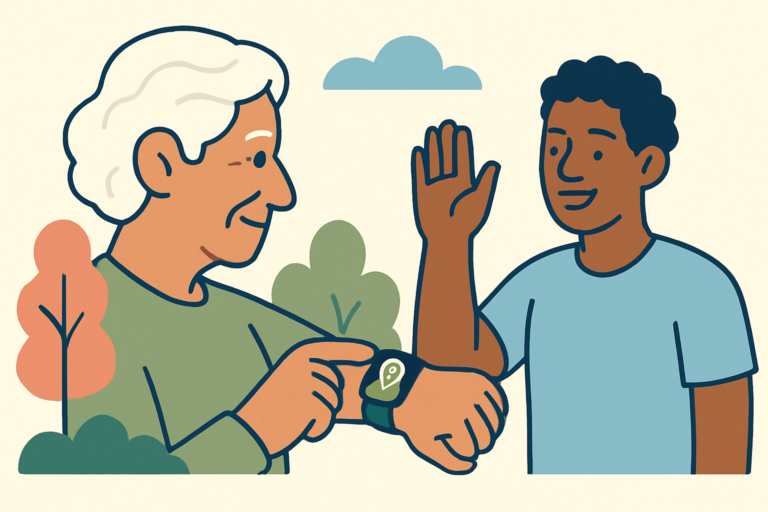
- GPS Tracking: Better no-fee devices include GPS so you can see your parent’s location through an app. This is particularly valuable if your dad occasionally goes for walks alone and you worry about him not finding his way back.
- Two-Way Voice Communication: Look for a built-in speaker and microphone so your parent can speak directly through the device after pressing the button. A device that only sends a text alert is not enough in a real emergency.
- Battery Life: Home-based units that plug into the wall are fine, but wearable devices need strong battery life. Aim for at least 24 to 48 hours on a charge. Some GPS watches need daily charging, which can be confusing for seniors with memory issues.
- Water Resistance: Falls happen in bathrooms constantly. Any device your parent actually wears needs to be at least splash-proof, and ideally rated for shower use. Check for an IPX7 or IPX8 water-resistance rating.
- Range and Coverage Type: Home-only devices typically use a landline or cellular connection via a base unit. Mobile devices use cellular networks. If your parent lives in a rural area with patchy coverage, check which carrier the device uses before buying.
- Contact List Capacity: Some devices only let you program one or two emergency contacts. The better ones allow five or more, with a priority call order so the device keeps trying until someone answers.
- Button Size and Wearability: For seniors with low vision or stiff fingers, a large, tactile button matters more than any spec sheet. A device they refuse to wear because it’s uncomfortable or looks clinical is worthless in an emergency.
Pros and Cons
| Pros | Cons |
|---|---|
| No recurring fees after purchase, which saves real money over time | No professional monitoring means family must be available and responsive |
| No contracts or cancellation hassles | Fall detection accuracy varies, and false alarms can be frequent on cheaper models |
| Best models include GPS, fall detection, and two-way calling in one device | Higher upfront cost than renting a monitored device |
| Family gets direct notification rather than relying on a third party to relay information | If all emergency contacts are unavailable, the device may have no fallback except 911 |
Pricing and Plans
Here’s where no-fee devices split into two camps. The budget end runs from about $50 to $100 and gives you a basic panic button that texts or calls a set number. These work, but they’re limited. The mid-range sweet spot sits between $100 and $200, and that’s where you’ll find devices with fall detection, water resistance, and GPS included. Think products like the Medical Guardian MGMove smartwatch or the Lively Wearable 2, which hovers around the $100 mark for the device itself.
At the premium end, you’re looking at $250 to $350 for full-featured GPS watches with two-way calling, fall detection, and slicker companion apps. The Apple Watch SE with fall detection and Emergency SOS falls in this range. It’s worth knowing that Apple Watch does contact emergency services directly, bypassing the need for family to respond first, which makes it one of the few consumer devices that offers something close to monitored protection without a subscription.
Compare that to a subscription-based service like Life Alert, which can run $50 or more per month on top of equipment fees. Over three years that’s $1,800 or more. Even a $250 premium no-fee device looks like a bargain by comparison, as long as the family support system is in place.
Setup and Ease of Use
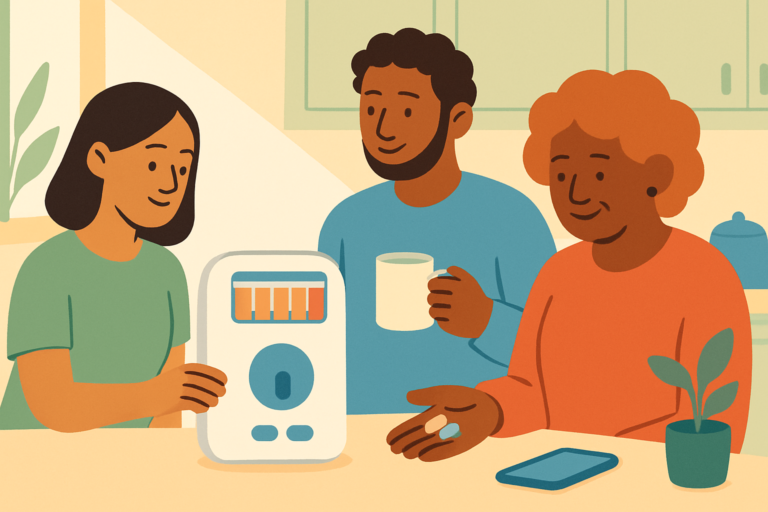
This is the part that matters most for the people reading this site, and it’s where no-fee systems require the most honesty. The initial setup almost always needs a family member to handle it. You’ll be programming emergency contact numbers, downloading a companion app, pairing the device to a phone, and sometimes registering with a cellular carrier. None of this is beyond a reasonably tech-comfortable adult child, but it’s not something most 80-year-olds should tackle alone on a Sunday afternoon.
When we’ve helped parents with devices like these, the process usually takes about 30 to 45 minutes. Once it’s running, the daily experience for your parent is genuinely uncomplicated. They wear the device, press the button if something goes wrong, and talk through it. The fewer moving parts there are after setup, the better. Devices that require daily app interaction from the senior themselves tend to get abandoned within weeks.
The biggest practical challenge is charging. If your dad has early-stage dementia or just isn’t in the habit of charging a watch, a device that needs daily power will let you down when it matters most. In that situation, look at home-based units that stay plugged in, like the Bay Alarm Medical SOS Home system, which keeps the wearable button charged automatically through a cradle. It removes one more thing your parent needs to remember.
How It Compares to Alternatives
The no-fee market has genuine competition right now, and knowing where each option stands helps you pick the right one for your specific parent.
| Feature | No-Fee Medical Alert Device | Life Alert (Subscription) | Apple Watch SE |
|---|---|---|---|
| Monthly Cost | $0 after purchase | $50+ per month | $0 (with cellular plan ~$10/month optional) |
| Professional Monitoring | No | Yes, 24/7 | No (direct 911 call) |
| Fall Detection | Varies by model | Yes on most plans | Yes |
| GPS Tracking | Yes on mid-to-premium models | Yes on mobile plans | Yes |
| Water Resistance | Varies (check specs) | Yes | Yes (50m rated) |
| Ease of Use for Seniors | Good once set up | Very good | Moderate (learning curve) |
The Apple Watch is genuinely one of the best no-contract options if your parent is comfortable with tech, but it has a real learning curve that can frustrate older users. Subscription services like Life Alert offer the most reliable safety net, but the cost is hard to justify when family members can respond quickly and the senior is still relatively active and independent.
What Real Users Say
Families who switch to no-fee devices after years of paying for monitored services tend to feel relieved about the savings and pleasantly surprised by how well the technology has improved. Common praise centres on the GPS companion apps, which let adult children check on a parent’s location without making a phone call every hour. Several reviewers specifically mention how much more their parent was willing to actually wear the device once there was no clunky medical-looking pendant involved.
The complaints are consistent and worth taking seriously. False fall detection alarms come up frequently, especially with wrist-worn devices. If your mum sits down quickly or waves her arm during a lively phone conversation, some devices interpret that as a fall and start calling everyone on the list. That gets old fast and can cause parents to disable the feature entirely, which defeats the purpose. The better-reviewed devices like the Kanega Watch have worked to improve detection accuracy, but it’s still not perfect across the board.
The other recurring concern is family availability. One reviewer put it clearly: “It’s great until it’s 2am and my phone is on silent.” That’s not a flaw in the device, but it’s a real-world limitation of the no-monitoring model that families need to plan around. Some households solve this with a shared family group notification so multiple people get the alert simultaneously.
Who Should Buy a No-Monthly-Fee Medical Alert System?
This Is a Great Fit If…
- Your parent is active and independent but has had a recent fall or a health scare that has the whole family worried, and you want a safety net without committing to a long-term contract.
- You or another family member can genuinely commit to keeping your phone on and responding quickly, day or night, because the system relies entirely on that.
- Your parent is resistant to wearing a traditional medical alert pendant because it feels stigmatising. A GPS smartwatch is much easier to get them to accept.
- You’re looking after the finances as well as the wellbeing, and saving $400 to $600 a year compared to a subscription service makes a meaningful difference.
Look Elsewhere If…
- Your parent lives completely alone and has no family or friends who could reliably respond to an alert within minutes. A professional monitoring service is worth every penny in that situation.
- Your parent has moderate to advanced dementia. The no-fee model requires the senior to at least be aware of and willing to wear the device. Memory care situations usually call for more specialist monitoring solutions.
- Your family has already been through one serious fall requiring hospitalisation. The peace of mind that comes from knowing a trained professional is always on the other end of that call is different from knowing that your family might see the notification eventually.
Frequently Asked Questions
What Is the Best Medical Alert System With No Monthly Fee?
For most families, the best all-round choice in 2026 is a mid-range GPS-enabled device with automatic fall detection and two-way calling, priced between $100 and $200. The Bay Alarm Medical SOS All-In-One and the Lively Mobile2 are both worth looking at, though always confirm current pricing as these products update regularly. If your parent is tech-comfortable, Apple Watch SE with fall detection enabled is hard to beat for features at the price point.
Do Medical Alert Systems Without Monthly Fees Still Call 911?
Some do, and some don’t. Basic devices that only contact your pre-set family list will not automatically call emergency services if nobody answers. Devices like Apple Watch and certain dedicated GPS units do include a direct 911 call function as a fallback. Always read the product specs carefully and test the emergency call flow before you rely on it.
Is Fall Detection Accurate on No-Fee Medical Alert Devices?
It’s improved a lot but it’s still not perfect. Most wrist-worn devices with fall detection will generate occasional false alarms, and some genuine slow-movement falls, like sliding down a wall, can be missed entirely. We’d never tell you fall detection is useless because it genuinely can save lives, but don’t treat it as infallible. Make sure your parent knows how to press the manual button too.
Can My Parent Use a Medical Alert Device if They Have a Landline Only?
Yes, there are home-based medical alert systems designed specifically for landline connections. These plug into the phone line and provide a wide range within the home. They don’t offer GPS tracking outside the house, but for a parent who rarely leaves home they work reliably and are often easier to set up than cellular options. The downside is that if your parent goes out, they have no protection.
Final Verdict
If your family is organised, responsive, and your parent is semi-independent, a no-monthly-fee medical alert system is genuinely one of the smartest investments you can make right now. The savings over two or three years are real, the technology has caught up considerably, and your parent is far more likely to wear a device that doesn’t scream “I’m old and fragile” from across the room. That said, be honest with yourself about whether your family can truly act as the monitoring layer this model requires, because no amount of technology makes up for nobody answering the phone at 3am.