
Why Seniors Struggle With Smartphones — and What Actually Helps
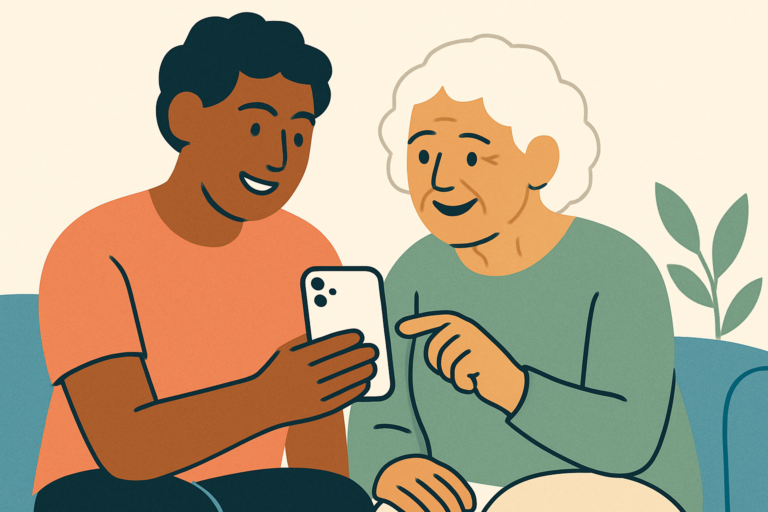
You’ve shown your mum how to answer a video call at least four times. She nods along, seems to get it, and then rings you three days later because she accidentally put the phone on silent again and missed a call from her doctor. It’s not that she isn’t trying. It’s not that you’re a bad teacher.
The truth is, there are specific, well-understood reasons why smartphones are genuinely harder for older adults to use — and most of them have nothing to do with intelligence or willingness to learn. This article breaks down exactly what’s going on, and more importantly, what actually makes a difference.
The Short Answer
Seniors struggle with smartphones because of a combination of physical changes (vision, hearing, hand tremors), cognitive shifts (processing speed, working memory), and the fact that smartphones were never designed with older users in mind. The things that actually help are accessibility settings tailored to specific needs, shorter and more focused teaching sessions, and honest conversations about which features matter and which ones don’t.
It’s Not About Being Bad with Technology
Here’s something worth saying plainly: your parent grew up learning to use complex tools all the time. Your dad probably mastered a rotary dial switchboard, a VCR timer, or a decade’s worth of evolving workplace software without much fuss. Smartphones aren’t hard because your parents are somehow less capable than they used to be. They’re hard because they were designed by and for people in their 20s and 30s, and they assume a set of physical and cognitive baselines that shift significantly as we age.
When your mum says “I just can’t get the hang of it,” she’s not being defeatist. She’s often accurately describing a real mismatch between the device and her current needs. Recognising that changes everything about how you approach helping her.
Vision Changes That Make Screens Genuinely Difficult
Most people over 65 experience some degree of presbyopia, the gradual loss of near-focus ability that makes small text genuinely hard to read without glasses. But even with glasses, screens present additional challenges. Contrast sensitivity decreases with age, meaning subtle colour differences that look obvious to you may blur into one another for your parent. Glare becomes harder to tolerate. And conditions like macular degeneration or cataracts, which are far more common in people over 70, can make standard screen brightness and font sizes almost unusable.
The default text size on most smartphones is designed for someone with young eyes using the phone at arm’s length in good lighting. For someone with age-related vision changes, that’s often far too small. The good news is that both Android and iPhone have accessibility settings that let you increase text size significantly, boost contrast, and reduce visual clutter — but these settings are buried several menus deep, and nobody installs a new phone with these turned on by default.
What Vision-Related Changes Actually Look Like in Practice
Your dad might hold his phone at an odd angle, squint at the screen, or give up on reading a message because it’s just not worth the effort. He might tap the wrong icon repeatedly, not because he’s forgotten what to do, but because the icons are small enough that a slightly off tap hits a neighbouring app. These aren’t signs of confusion — they’re signs of a device that isn’t calibrated for his eyes.
Motor Control and Touchscreen Friction
Touchscreens require a level of fine motor precision that becomes harder to maintain with age. Essential tremor affects roughly 5% of people over 65 and around 10-20% of those over 80. Even without a diagnosed tremor, older hands often produce slightly less precise taps than younger ones. The result is accidental swipes, missed taps, and the deeply frustrating experience of trying to tap a small button and watching the phone interpret it as something completely different.
Scroll gestures are another common stumbling block. The idea that you swipe up to scroll down is counterintuitive when you think about it, and it takes time to build the muscle memory. Double-tapping, pinch-to-zoom, and long-press all require a level of gesture fluency that younger users have built up over years of casual use. Your parent is being asked to learn all of these at once, often without realising that each one is a separate skill.
Arthritis compounds all of this. Gripping a phone, pressing a button, or holding the device steady while tapping are all significantly harder for someone with joint pain. A phone case with better grip, a phone stand, or even switching to a tablet with larger tap targets can reduce this friction meaningfully.
How Cognitive Changes Affect the Learning Process
Normal ageing brings changes in processing speed and working memory, not in intelligence, but in the pace at which new information gets filed away. When you walk your mum through a task while she’s watching, she might follow perfectly in the moment. But working memory is under pressure during that explanation, and if something interrupts or rushes the process, the steps don’t consolidate into long-term memory as reliably as they would for someone younger.
This is why “I just showed you last week” can feel baffling to you but make complete sense neurologically. It also explains why showing someone three things in one session rarely works. The brain can only absorb so much new procedural information at once, and smartphones have hundreds of potential procedures. Teaching one thing per visit, and repeating it across multiple sessions, works far better than a single long tutorial.
There’s also the issue of interface consistency. When an app updates and the button moves, or when the phone behaves differently depending on which notification appeared, the mental model your parent has carefully built gets disrupted. Younger users adapt to these changes without thinking. For someone who spent weeks learning where a specific button was, an interface update can feel like starting from scratch.
The Confidence Problem Is Real and It Compounds Everything
Many older adults carry a deep fear of breaking something. Your dad might avoid tapping unfamiliar buttons in case he accidentally deletes something important or runs up a bill. That anxiety isn’t irrational — smartphones can and do behave in confusing ways when something gets accidentally activated. But fear of experimenting is one of the biggest barriers to building familiarity with any device.
When someone makes a mistake and feels embarrassed about it, they pull back. They use less of the phone. They call you more. And then they feel bad about calling you, which makes the whole experience negative. That negative association with the device reinforces avoidance, and avoidance reinforces incompetence. It’s a cycle that has nothing to do with capability.
What Actually Helps (And What Doesn’t)
Talking faster doesn’t help. Repeating the same explanation louder doesn’t help. And setting up a phone perfectly without involving your parent in the process almost never helps, because they won’t understand the decisions that were made and won’t know what to do when something unexpected happens. What does help is adjusting the accessibility settings together and explaining why each one is being changed. What helps is creating a one-page cheat sheet with screenshots for the three or four tasks your parent actually needs to do. What helps is building one skill at a time and celebrating small wins without being patronising about it.
Turning on features like larger text, increased touch sensitivity, and simplified home screen layouts makes a measurable difference for many older users. On iPhones, Guided Access can lock the phone to a single app so accidental swipes don’t cause chaos. On Android, there are launcher apps designed specifically with large icons and reduced clutter that can transform the experience. These aren’t workarounds or compromises — they’re the right tool for the job. It’s also worth being honest: some seniors genuinely do better with a basic phone that calls and texts, and that’s a completely valid outcome if that’s what works for your parent’s actual life.
Frequently Asked Questions
Why Does My Parent Keep Accidentally Muting Calls or Hanging Up?
This is one of the most common issues, and it usually comes down to how the phone is held during a call. The ear or cheek can trigger the touchscreen even when a call is active. Some phones have a proximity sensor that’s supposed to prevent this, but it doesn’t always work reliably. A case that slightly raises the edges around the screen, or using speakerphone or a headset, often solves this completely.
Is a Tablet Easier Than a Smartphone for Older Adults?
Often, yes. Tablets have larger screens, larger tap targets, and are easier to hold steady. For someone who primarily uses a device for video calls, reading, or keeping in touch with family, a tablet can be significantly less frustrating than a phone. The main downside is that tablets aren’t as portable, and they don’t replace a phone for calls and texts unless you add a SIM or use Wi-Fi calling.
My Parent Refuses to Admit They’re Struggling — How Do I Help Without Making Them Feel Bad?
This is genuinely hard. Your dad insists he’s fine, but you know he’s missing messages and avoiding the phone. The approach that tends to work is framing changes as improvements you’re making for yourself too, or as something you read about. “I changed this setting on my phone because the text was too small in bright light” takes the focus off their difficulty. Making adjustments casually and practically, without commentary, usually lands better than a direct conversation about the problem.
How Long Does It Take for an Older Adult to Get Comfortable with a Smartphone?
Realistic timelines vary a lot depending on the person, how often they use the phone, and how much support they have. For someone learning a handful of core tasks, a few months of regular use with occasional help is a reasonable expectation. Don’t measure progress against how fast you learned — measure it against where they started.
Final Thoughts
The fact that you’re trying to understand why this is hard, rather than just being frustrated that it is, puts you miles ahead of most people in this situation. Smartphones genuinely are poorly suited to many older adults in their default form, and the struggles your parent is experiencing are real, not imagined. Approaching it with that knowledge changes the dynamic from teacher-and-reluctant-student to two people problem-solving together — and that shift matters more than any setting you’ll ever change.